Getting someone to pay for a video they cannot physically touch is a surprisingly difficult sales problem. Selling livestream tickets works only when the buyer can clearly understand what they are paying for, why the experience is worth it, and why waiting could cost them something valuable.
Digital events remove many traditional signals of value, such as a packed venue, physical merchandise, or the feeling of being surrounded by other attendees. The answer is not simply making the ticket cheaper, but building a sales system where value, timing, and genuine scarcity reinforce each other.
1. Selling Livestream Tickets Starts With A Clear Early Bird Pricing Structure


Early-bird pricing works because it gives hesitant buyers a concrete reason to make their decision earlier. Research and current event-industry guidance consistently frame early bird offers as more than discounts because they can improve early cash flow, demand forecasting, and purchase commitment. The catch is that an early-bird deadline has to mean something, otherwise audiences quickly learn that they can wait for another extension or discount.
Why Early Bird Pricing Should Reward Commitment Instead Of Simply Cutting The Price
A strong early bird pricing structure exchanges a lower price for earlier commitment, rather than permanently positioning the event as cheap. Current ticketing guidance commonly recommends using a progression such as Early Bird, Standard, and VIP, with each tier tied to a clear date or quantity limit. For a livestream, this could mean $19 Early Bird, $29 Standard, and $59 VIP with additional access, rather than offering everyone $19 until the event begins.
How To Set A Deadline That Buyers Actually Believe
Use a fixed date, a genuine quantity cap, or both when defining the end of an early-bird offer. Eventbrite, for example, supports ticket types with specific sales periods and automatic transitions into later ticket tiers. The important psychological signal is consistency: if you repeatedly announce that an offer ends tonight and then quietly extend it tomorrow, the deadline becomes decoration rather than a reason to buy.
Why A Simple Three-Tier Offer Usually Beats A Complicated Pricing Menu
Too many choices can make a digital purchase feel like work, particularly when the buyer already has to decide whether the event itself is worth attending. Current ticketing guidance suggests keeping event pricing relatively simple, often around two to four meaningful tiers, with each tier offering a clear difference in access or experience. A practical livestream structure is Live Access for price-sensitive viewers, Live + Replay for convenience, and VIP for people who want closer access to the speaker or performer.
2. Use Digital Scarcity And VIP Access To Make The Livestream Feel Worth Paying For

The hardest part of virtual event monetization is making digital access feel scarce when the stream technically has no physical seats. You solve that by making certain experiences limited even when the broadcast itself is scalable. A VIP ticket can include a private Q&A, backstage session, extended replay period, downloadable material, or early access that ordinary viewers simply do not receive. That creates a meaningful difference between watching a stream and buying an experience around it.
Give VIP Buyers Something They Cannot Get From The Regular Stream
A VIP upgrade should answer one simple question: “What do I get that ordinary viewers don’t?” Exclusive Q&A access is particularly suitable because it changes the buyer’s relationship with the event from spectator to participant. Some virtual-event platforms already structure paid packages around combinations such as live access, replay access, VIP sessions, and exclusive Q&A. For a creator or organizer, that makes VIP a useful revenue layer without forcing every attendee to pay the highest price.
Build Digital Scarcity Around Access And Timing
Digital scarcity works best when the limitation is real and easy to understand. You might limit the number of VIP Q&A places, close premium upgrades 24 hours before the event, or make a bonus recording available only to the first 100 buyers. The scarcity should apply to something genuinely limited rather than pretending that an unlimited livestream has only “10 seats left.” Real scarcity protects credibility while giving undecided buyers a legitimate reason to act.
Use Ticketing Platforms To Automate The Sales Rules
Good ticketing platforms should reduce the amount of manual work required to operate your pricing campaign. Eventbrite, for example, supports multiple ticket types, quantities, sales dates, scheduled transitions, promo codes, and reporting for different ticket tiers. For a livestream organizer, automation matters because a pricing tier that requires manual switching at midnight is an unnecessary operational risk.
Connect The Offer To The Actual Experience
Don’t sell VIP as a label; sell the specific benefit attached to it. “VIP access” sounds vague, while “Join the 20-minute private Q&A after the main broadcast” immediately tells the buyer what they are purchasing. This distinction becomes even more important when selling livestream tickets because the customer cannot physically inspect the product before paying. Your sales page therefore needs to make the invisible experience feel concrete.
3. Use Countdown Timers Carefully To Turn Interest Into A Purchase

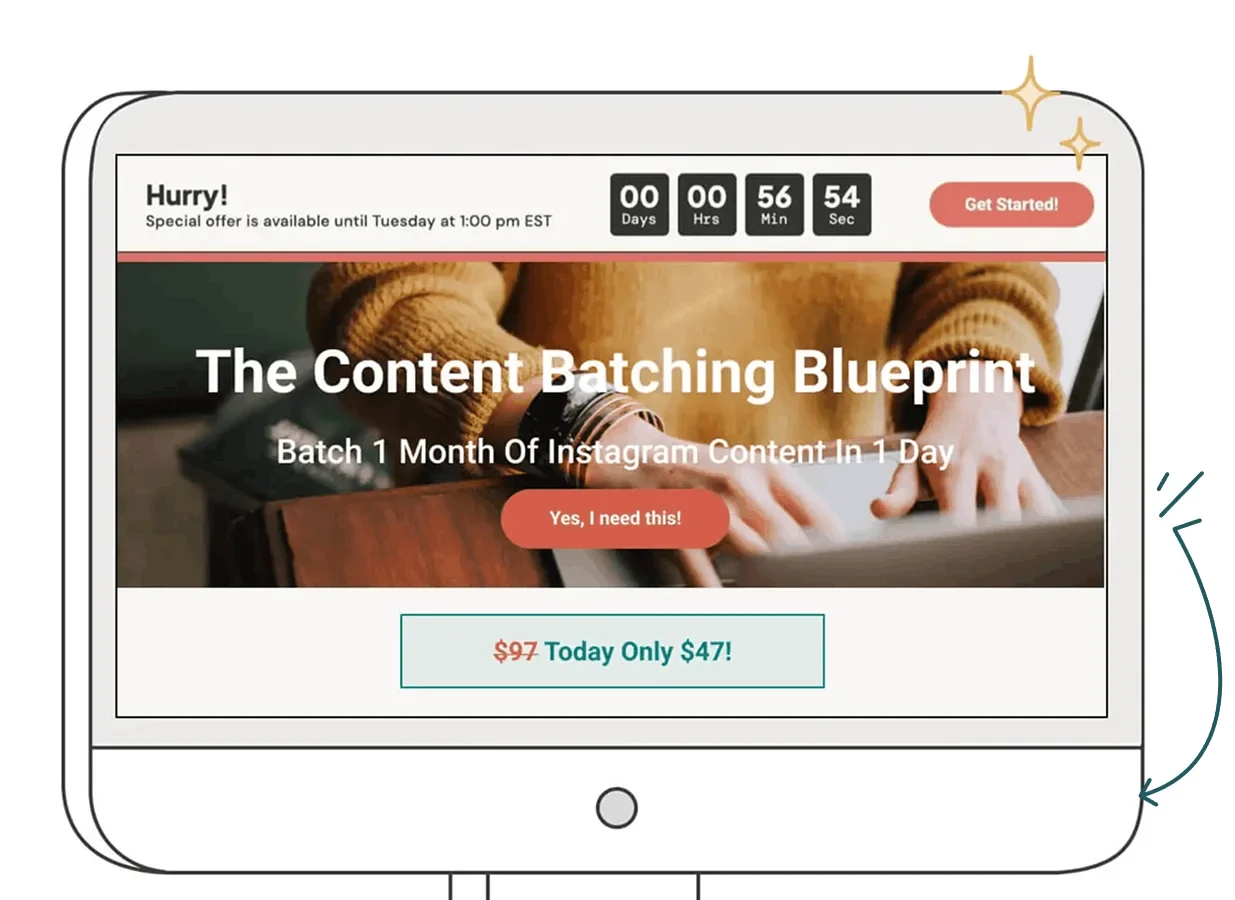
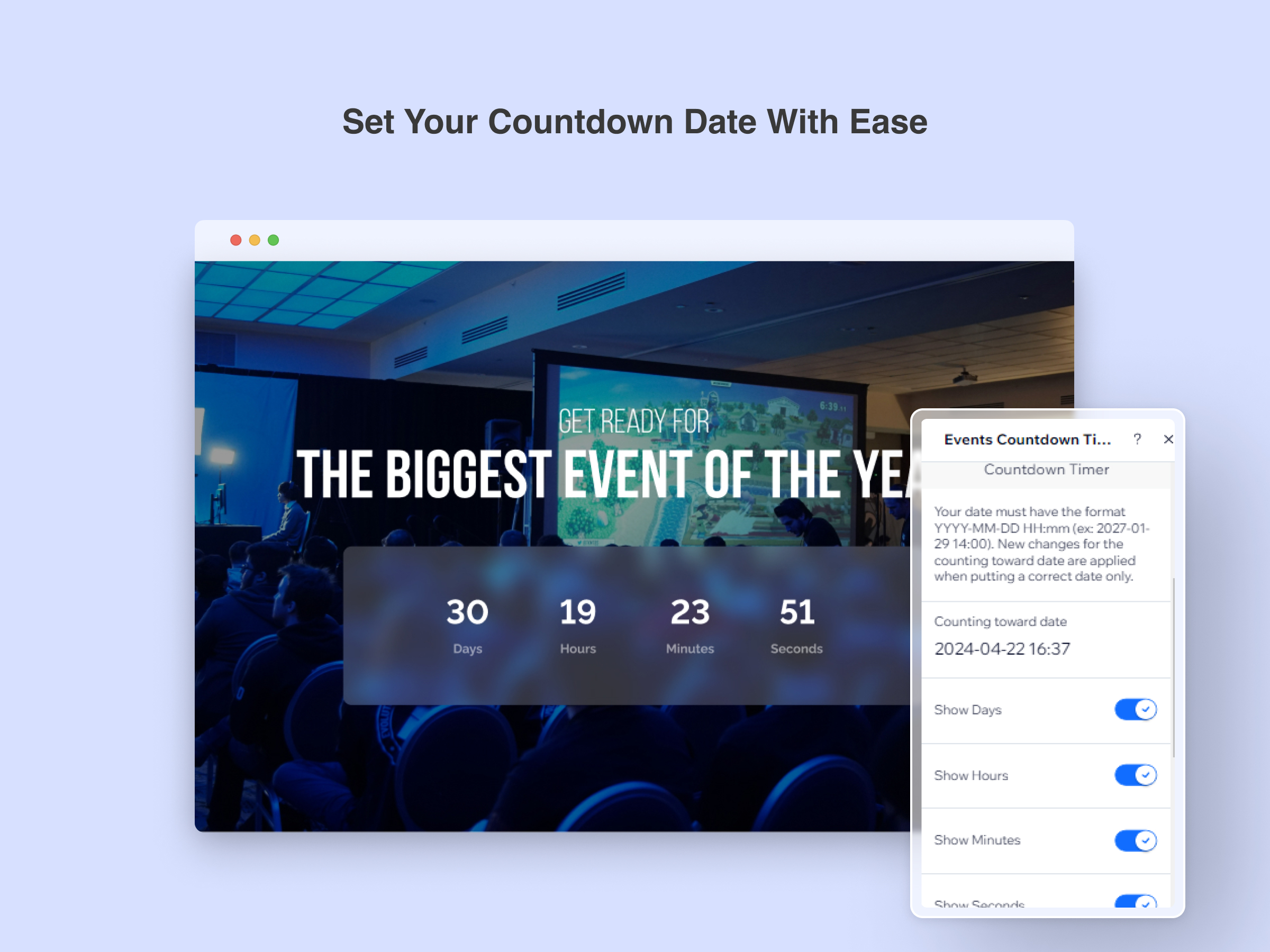
A countdown timer can make an invisible deadline visible, but it only works when the deadline represents a real change in the offer. Current event-marketing guidance commonly recommends timers for early-bird expiration, registration cutoffs, limited ticket releases, and final sales windows. The timer should therefore reinforce the pricing architecture rather than act as a random flashing decoration on the checkout page.
Put The Countdown Beside The Actual Price Change
A timer is most useful when the buyer can immediately understand what happens when it reaches zero. “Early Bird Ends In 14 Hours” is clearer than “Hurry, Limited Offer,” because the first statement gives a specific consequence. Some event-ticketing guidance recommends using fixed timers that correspond to an actual pricing transition so the buyer can see exactly when the cheaper tier disappears.
Repeat The Deadline Across The Sales Journey
The landing page, promotional email, social post, and checkout experience should communicate the same deadline. That consistency prevents the buyer from seeing different dates across different channels, which can quietly damage trust. A useful sequence might introduce the early-bird price two weeks before the event, remind prospects one week later, then intensify communication during the final 48 hours. Countdown-based campaigns commonly use this gradual increase in urgency rather than relying on one last-minute message.
Never Use A Fake Countdown To Manufacture Pressure
Fake scarcity is one of the fastest ways to make an otherwise credible event look cheap. If the timer reaches zero and immediately resets to another 48 hours, regular visitors will eventually ignore it. Current event-pricing guidance specifically warns against repeatedly extending deadlines because buyers learn that the advertised urgency is not real.
Fix The Checkout Problems Before Buying More Traffic
A brilliant offer cannot rescue a broken purchase journey. Before increasing advertising spend, test whether buyers receive their ticket immediately, whether payment works smoothly on mobile, and whether access instructions are obvious after purchase. For organizers dealing with ticket delivery issues before an online broadcast, this guide on online event tickets not received before a livestream covers a closely related operational problem. A buyer who has already decided to pay should never have to wonder whether their purchase actually went through.
What Actually Works Best For Selling Livestream Tickets?
The strongest strategy is a combination rather than one isolated trick. Start with a simple Early Bird tier to pull committed buyers forward, add a genuinely differentiated VIP experience to increase average order value, and use a real countdown to make the pricing deadline impossible to overlook. Selling livestream tickets becomes much easier when every element answers a different objection: price hesitation, lack of perceived exclusivity, or procrastination.
A practical setup would look like this:
- Early Bird: lower price with a firm deadline or limited quantity.
- Standard: regular access at the normal price.
- VIP: premium access such as exclusive Q&A or bonus content.
- Countdown: displayed only against a genuine pricing or access deadline.
- Checkout: mobile-friendly, simple, and immediately followed by clear ticket delivery.
The most important recommendation is to protect the credibility of the offer. Early-bird pricing should actually end, VIP should provide something meaningful, and digital scarcity should describe a real limitation. Done properly, virtual event monetization stops feeling like squeezing money from an audience and starts looking more like a fair exchange for access, convenience, and a better live experience.
Q&A
How much should an early-bird livestream ticket cost compared with the regular price?
There is no universal percentage because the right gap depends on production costs, audience willingness to pay, and the value of the live experience. Industry guidance commonly discusses meaningful but controlled discounts, with some current ticketing recommendations placing early-bird reductions around 15% to 30%.
Is VIP access necessary for every paid livestream?
No. VIP works best when the event has an audience willing to pay for proximity, exclusivity, or additional access. If there is no meaningful premium experience to offer, adding a VIP tier can create complexity without adding real value.
Should a livestream use both quantity scarcity and a countdown timer?
It can, but only when both represent genuine limits. For example, you could limit VIP Q&A places by quantity while setting a fixed deadline for the Early Bird price, giving buyers two clear reasons to decide without inventing artificial scarcity.


Minh Thư Đặng has worked in virtual event support for education companies, professional associations, and regional conferences. Her responsibilities included managing registrations, sending access instructions, assisting international attendees, and resolving login problems during live sessions. She now writes straightforward guides about joining webinars, using digital tickets, entering private broadcasts, and participating in online events without confusion.