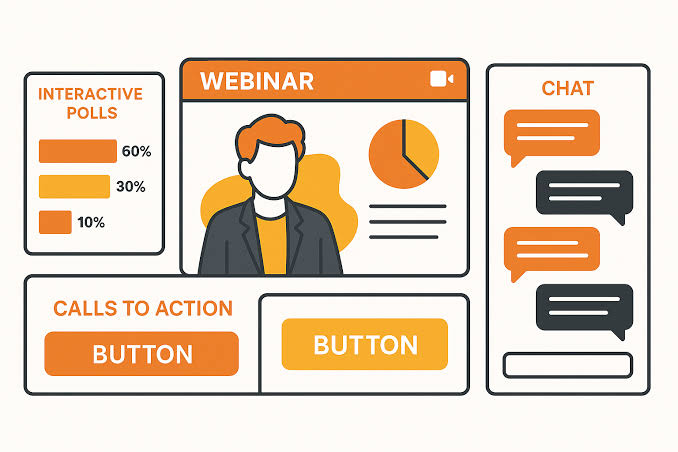
The screen is bright, the slides keep moving, and yet attention quietly disappears. Interactive webinars are becoming the smarter answer to this problem because a static presentation can make even useful information feel like background noise.
Research on video-conferencing fatigue has found that longer and more frequent sessions can undermine social connection, while shorter, interactive, small-group sessions can produce a better experience. The goal, then, isn’t to cram a webinar with gimmicks but to give attendees enough reasons to actively stay in the room.
1. Turn Zoom Fatigue Into Audience Engagement With A More Active Webinar Structure
The biggest mistake is treating interaction as a decorative feature added halfway through a presentation. A better structure changes the audience’s role from listener to participant, giving them something meaningful to do before attention starts drifting. Cochrane’s webinar guidance recommends breaking longer presentation stretches into shorter sections with activities such as polls and Q&A, rather than running through slides for a prolonged period. This approach also makes the session easier to follow because the rhythm keeps changing without becoming chaotic.
Start With A Question Instead Of A Long Introduction
Open with a question that immediately relates to the audience’s problem. A simple poll such as “What is your biggest challenge with X?” gives attendees a reason to interact within the first few minutes. Cvent similarly recommends leading with interaction rather than lengthy housekeeping because early participation helps establish the expectation that attendees are supposed to take part. Keep the first question easy, though, because nobody wants their first task of the morning to feel like an exam.
Use Real Time Polling To Change The Direction Of The Session
A poll works best when its result actually influences what happens next. Instead of asking a meaningless question, use the responses to decide whether you spend more time on a beginner concept, an advanced example, or a common problem. Research and practical webinar guidance both support polling as a way to quickly understand participant knowledge and stimulate discussion. That makes the audience feel less like passengers and more like people holding the steering wheel.
Keep Dynamic Presentation Segments Short And Purposeful
A webinar doesn’t need constant motion, but it does need a rhythm. Cochrane recommends keeping uninterrupted presentation stretches around 15 to 20 minutes or less and inserting interaction between longer sections. You can alternate between explanation, demonstration, poll, discussion, and Q&A instead of forcing every idea through another slide. The result feels more like a conversation and less like someone reading a deck aloud.
Use The Chat As A Working Tool Rather Than A Comment Box
Chat becomes more valuable when the host gives it a specific job. Ask attendees to share one example, choose between two options, or describe the obstacle they are currently facing. This creates audience engagement without requiring everyone to turn on a microphone or camera. If you are troubleshooting technical problems alongside content, a dedicated moderator can also handle chat while the presenter stays focused on the discussion.
2. Build Better Q&A And Breakout Moments Without Making The Session Feel Forced
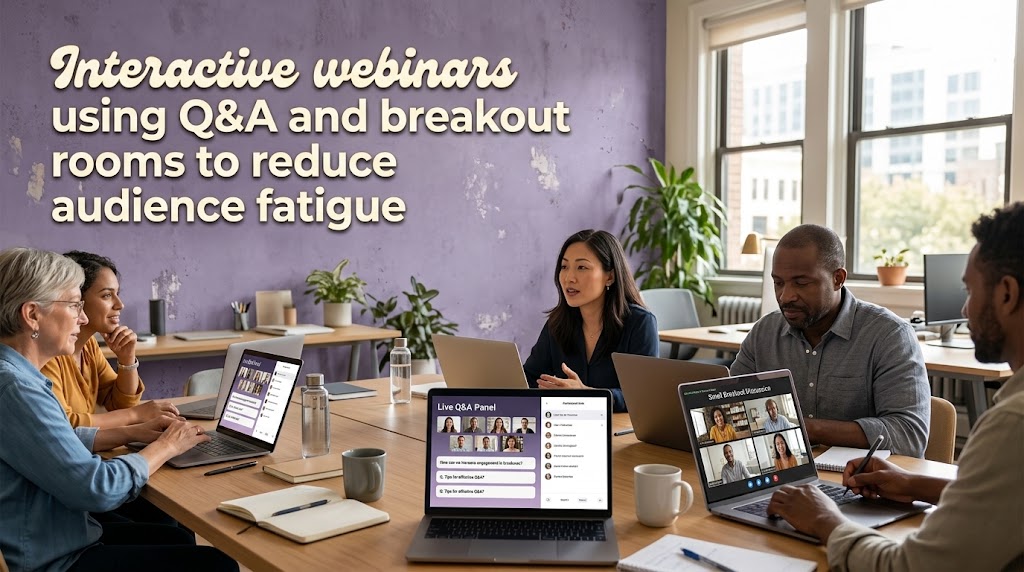
Interaction doesn’t automatically make a webinar good. Poorly timed polls, vague questions, or unnecessary breakout rooms can create friction instead of energy, especially when participants aren’t sure why they’re being asked to do something. The strongest format gives every interactive element a clear purpose and connects it directly to the topic being discussed. That’s particularly important when zoom fatigue is already making attention harder to maintain.
Let Q&A Develop Throughout The Presentation
Don’t treat Q&A as the five-minute leftovers after the final slide. Invite questions throughout the session, then pause at useful points to answer the ones that help the wider audience. Cvent recommends allowing questions during the webinar and using upvoting so the most relevant issues can rise to the top. Zoom also supports attendee upvoting and post-event Q&A reporting, making the questions themselves useful data for future sessions.
Create Breakout Rooms Around A Specific Task
Breakout rooms should never sound like “Okay, everyone, go talk.” Give each group one concrete problem, decision, or mini exercise to complete. Cochrane recommends preparing discussion questions, briefing facilitators, and assigning clear roles before sending participants into smaller groups. That preparation is what separates useful collaboration from five minutes of awkward silence.
Match Groups Using Poll Responses When The Platform Allows It
One clever option is to use an earlier poll to determine where attendees go next. Zoom, for example, supports creating breakout rooms based on responses to certain single-choice polls under specific feature requirements. A marketing webinar could group attendees by experience level, while a workshop could separate people according to the problem they selected. Suddenly the interaction feels personalized rather than randomly assigned.
Give Quiet Attendees Low Pressure Ways To Participate
Not everyone wants to speak publicly, and forcing verbal participation can make the experience worse. Offer several paths such as reactions, chat responses, polls, written Q&A, or anonymous questions where the platform supports them. Research on webinar practice has noted that written questions can be particularly comfortable for participants who may be less confident speaking in the webinar language. Good design doesn’t demand that everyone participate in exactly the same way.
Use Technical Reliability As Part Of The Engagement Strategy
A brilliant activity becomes useless if attendees can’t hear the presenter or the transition between tools fails. Run a technical rehearsal covering audio, screen sharing, polls, breakout rooms, and moderator responsibilities before the event. Cochrane specifically recommends pre-session testing and clearly defined technical support roles. For practical troubleshooting around common webinar problems, this guide on webinar no sound and frozen slide fixes is worth keeping nearby.
3. Measure Event Retention By Interaction Quality Rather Than Attendance Alone
A registration number can look impressive while the actual experience quietly collapses. The better question is whether attendees remained attentive, participated, asked meaningful questions, and reached the final section with enough energy to act. Current webinar guidance increasingly treats interaction as something that should generate useful signals rather than simply fill empty moments. This is where a good host stops guessing and starts improving the format based on evidence.
Track Where Participation Starts To Drop
Look at poll response rates, Q&A activity, chat volume, attendance changes, and drop-off points. If participation falls sharply after 25 minutes, the problem may be the structure rather than the topic itself. If questions increase after demonstrations, that tells you practical examples may be more valuable than additional slides. Over several events, these patterns become a roadmap for better programming.
Measure The Quality Of Questions
Ten shallow questions aren’t necessarily better than three detailed ones. Look for questions that reveal confusion, curiosity, objections, or a desire to apply the information. These signals can help you redesign future sessions around the topics people actually care about. In that sense, Q&A becomes both an engagement tool and a lightweight audience-research system.
Follow Up With Content Based On What Happened Live
The webinar shouldn’t end when the host says goodbye. Turn strong questions into a follow-up email, short article, FAQ, replay chapter, or downloadable resource. ON24’s current guidance also emphasizes post-webinar follow-up and using engagement information to improve future sessions. The best interactive webinars leave behind a trail of useful audience signals instead of disappearing into an archive.
Build A Repeatable Engagement Funnel
A strong format can be simple: hook the audience with a question, teach one useful concept, trigger interaction, respond to the result, then repeat. Don’t add five tools when two well-used features would do the job better. For most educational sessions, polls, Q&A, chat, and selective breakout rooms already provide enough flexibility to create meaningful audience engagement. The real skill is knowing when to use each one.
Conclusion
The answer to webinar burnout isn’t louder slides, faster speakers, or a pile of flashy effects. It’s a better exchange between presenter and audience, where every interaction has a reason and every response can influence the conversation. Research consistently points toward shorter, more interactive formats as a healthier direction than long, passive video sessions.
My recommendation: start with three core mechanics first: an opening poll, structured Q&A, and one purposeful collaborative activity. Once those work reliably, add breakout rooms, live demonstrations, or more advanced interaction based on your audience’s behavior.

Minh Thư Đặng has worked in virtual event support for education companies, professional associations, and regional conferences. Her responsibilities included managing registrations, sending access instructions, assisting international attendees, and resolving login problems during live sessions. She now writes straightforward guides about joining webinars, using digital tickets, entering private broadcasts, and participating in online events without confusion.